Unlock Superior Asset Management with Our Free EAM Strategy eBook!

Access the eBook
2023 Highlights of Innomaint

2023 Highlights of Innomaint

2023 Highlights for Innomaint

Participated in GITEX 2023 Dubai Trade Fair, WCCLG (INT) - Manufacturing Conference 2023 & CII 2023 Summit.

Strengthened our partner network across 25+ countries by gaining the interest and confidence of 100+ partners globally.

Brand New Advanced Features 2023

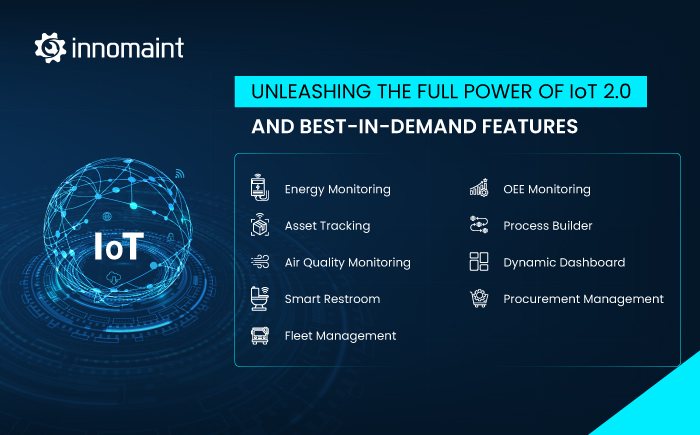
In a significant move, we recently launched ground-breaking IoT 2.0 solutions and best-in-demand solutions and features such as CRM, BPM, and Dynamic Dashboards.

CRM

Grow your business by optimizing team efforts in shortened sales cycles by automating sales efforts, customer support, and marketing campaigns for heightened customer satisfaction.

IoT Solutions

Amplifies the capabilities of CMMS by tracking constantly moving assets, and environmental parameter to enhance efficiency, sustainability, and safety in every business aspects.

BPM

Create, alter and automate missing common workflows visually with drag-and-drop controls. Enhance operational flexibility and achieve the finest efficiency to reduce administrative complexity.

Dynamic Dashboard

Define and tailor the theme, widget type and location for each user, as per your wish! A self-service business intelligence opportunity to visualize real-time insights on maintenance performance.

Few value additions launched early in the year are

Store Procurement Management

Organized vendor portal that eases and speeds up your online purchases for assets, spares, and consumables with quick approvals, quote comparison, best prices and quality checks.

Monthly Management Report(MMR)

The integrated report consolidates service category, daily/weekly service, ticket compliance/complaints, spare request, manpower, service rating reports, etc. for a customer/location.

Cost Management

Create approved work order estimates for services before techs attend maintenance tasks so that final payment negotiation becomes easy based on the hours and quality of work recorded.

OEE Monitoring via IoT

Track availability, performance, and quality indicators for entire smart factory or individual parts via IoT sensors. Uncover the reason for under-performance of a product line, shift, day, etc.

Parking Management

Track vehicles using ANPR camera that recognizes a wide range of fonts and colors in the number plate with 90% accuracy to know vehicular traffic, and presence in real-time.

Microsoft Azure Integration

Integrate Innomaint EAM with Microsoft’s reputed cloud computing platform for taking advantage of the multilayered security and range of capabilities.

Boots on Grounds

A testimony of proof of visit of staff to a zone for inspecting multiple assets in a go and raise defects. View reports on time taken for inspections, defects uncovered, etc.

NFC Based Service Request

Scan NFC tags fixed on equipment and scan them using NFC-enabled devices to read the equipment specs, maintenance history stored on the tag to reduce breakdown risks.

Awards & Recognition

SOC 2 certification is essential for those organizations that are offering third-party IT services. Businesses who look for IT services check that IT service organization is complied with SOC 2. The organization strictly follows & adheres to IT security.

Top Blogs Published in 2023

Market Predictions

Facility
Management
Software Market

(Source: www.xresearch.biz)

Current
Market Value
(2022)

USD
20,985.1 Million

Projected
Market Value
(2030)

USD
72,168.4 Million

CAGR 13.0%

Enterprise
Asset Management
Market

(Source: www.marketresearchfuture.com)

Current
Market Value
(2023)

USD
4.1534 Million

Projected
Market Value
(2032)

USD
8.4598 Million

CAGR 9.30%

Computerized
Maintenance
Management
Software Market

(Source: www.futuremarketinsights.com)

Current
Market Value
(2023)

USD
1,636.3 Million

Projected
Market Value
(2033)

USD
4,215.1 Million

CAGR 9.1%

Overall, the calendar year 2023 has been memorable for Innomaint. The year ahead looks promising with the high demand for our product suite. Keep your fingers crossed for more value-added features and solutions that widen Innomaint's capabilities.

Unleashing the full power of IoT 2.0 and Best-In-Demand Features

Unleashing the full power of IoT 2.0 and Best-In-Demand Features

Innomaint version 4.4

Innomaint V4.13: Light Up Productivity by Automating Procurement and with the Flexibility of Dynamic Dashboards

Procurement Management

Automate the process of purchase request & approval, request for quotes, quote comparison, purchase order, receipt of goods, quality check, etc., using the Procurement management module. This is essential to put an end to the needless inefficiencies and delays in traditional purchases.

Users in the capacity of Machine Owner, Machine Supervisor, etc., can request for assets, spares, and consumables. The workflow for requests can take place in either of these ways:

i) Placing a material request to a specific store

If the requested quantity of the material is available in the store, the storekeeper shall deliver it to a common store from where the requester can obtain the materials. It will be the course of action if approvers are not defined. If defined, the delivery shall occur after approval.

In case the requested material is not available in the specific store, the storekeeper shall place a purchase request for the same.

If the requested material is available but not in sufficient(requested) quantity, a purchase request shall automatically be generated corresponding to the difference in quantity. The storekeeper delivers the available quantity to the common store from where the requester can obtain the materials.

Apart from this, whenever the inventory stock goes below minimum re-order levels, a purchase request is automatically generated to maintain the minimum levels defined for each inventory item.

blog

blog

ii) Placing a direct purchase request

Serial or Parallel Approvers may be configured based on the monetary value of purchase.

Users such as machine owners and machine supervisors may directly submit a purchase request in cases where they are well aware that the required material is not available in any of the internal stores.

blog

iii) Quote request & comparison

You can request for quote by associating quote request with a purchase request and a supplier.The application mails the quote request to the selected supplier.

Once the supplier replies to the mail, download the quote and feed it in the application for comparison against other quotes.

blog

As with the case of material and purchase requests, quote request may require an approval. You can compare up to 3 quotes from the same screen.

iv) Raising Purchase Orders

Once all the preliminary activities are done, raise a Purchase Order by associating purchase orders with a quote or purchase request.

blog

v) Quality check

It is essential to conduct quality checks at the earliest to facilitate the exchange or return of goods.

Once the ordered goods arrive, quality check personnel shall perform quality and quantity checks, and assign the stock(passed tests) to the precise location in a store(rack, shelf).

vi) Final entry

After quality tests, update the inventory records including Expected quantity, received quantity, delivery date, etc.

blog

As with other cases, the material inward entries require the approval of higher authorities.

Once you complete these steps, the application will automatically prepare the details on purchase returns.

vii) Procurement Reports

Find useful comprehensive reports on procurement management including:

  • Spare Parts Requests
  • Quote Requests
  • Purchase Order
  • Invoices

The reports help in improving purchase experiences in the future with quick analytics. As with any other report in the Innomaint application, you can customize these reports with fields of your choice, for a specific period, etc., and download them in PDF and excel formats.

IoT Solutions

Use Innomaint IoT solutions to connect all your IoT devices(sensors) with the IoT cloud application, mobile apps, and all maintenance stakeholders in a single digital pipeline.

Have the freedom to create the schema of your Dashboard for various user roles, providing all the necessary information while upholding the required confidentiality.

Define rules and thresholds based on the readings generated by the wireless sensors to raise alarms. Receive push notifications about new alarms over email, SMS, or other systems to remain connected with your environment. You may do this to preserve air quality, safeguard the environment from pollution, track essential asset parameters, etc.

blog

blog

blog

Contact Innomaint to set up the visualization for IoT Data. Once we enable, you’ll obtain two types of accounts:

1. Super Admin Account: The SuperAdmin can configure Customer account with a Dashboard. The Super Admin can create and associate alarms with customer users.

The Super Admin shall decide on the number of customer Dashboards and the widgets in each of them.

blog

2. Customer Account: Also referred as Tenant account, Super Admin creates real-time end-user Dashboards. InnoMaint can create these account types on your behalf. Filters are available to customize your data visualization.

Dynamic Dashboard

The feature allows you to create and customize interactive visualizations of the application data for the key metrics and analyze your data in one place.

It is here where a self-service business intelligence opportunity sets in, where users can filter the data to display just what’s important to them.

You can also create and assign Dynamic Dashboards to specific users and customers and regulate their privileges to monitor, manage, and analyze their data.

blog

blog

Workflow Modelling

Workflow Modelling or Business Process Management BPM is a tool that can help you create, view, and alter business processes based on custom requirements.

It can help perform fit-gap analysis, generate flowcharts, and store business process data in the cloud.

Do this visually and easily with drag-and-drop controls.These workflows can be integrated with other applications to extend their capability, rendering a professional touch.

Define tasks, fix in charges and approvers, lay out of conditions or criteria, and automate any aspect of business processes with InnoMaint’s workflow automation software.

Standardize business processes across the organization to give a boost to agility. Automate common workflows such as Attendance tracking, Incident reporting, invoice processing, employee onboarding, patient surveys, claims processing, audit workflow, cash management, etc.,

Automating workflows is so easy, powerful, and flexible now!

blog

blog

Innomaint Release Notes Version 4.7

Innomaint Release Notes Version 4.7

Innomaint version 4.4

Innomaint V4.7: Be in the Loop of Costing from the Very Beginning Stages

1) Cost management
i) Work order estimate
The work estimate for a maintenance work order is useful, especially when the maintenance department is flooded with planned schedules and multiple breakdowns. Create approved work order estimates for all services before letting techs attend breakdown or scheduled maintenance tasks so that you can negotiate the final payment based on the hours and quality of work as recorded by the EAM application. Include estimates for preventative as well as breakdown work. You should know the tentative time of these tasks if there are no unexpected problems. Besides this, you should know the spares & supplies required to fulfill the work order.
ii) Multi-level Approval
The level of approval required for a request may vary depending on the case. You can define the approval level based on the price. blog blog blog blog The estimate has to be reviewed and approved by concerned Location Head before work can commence. blog If the Location Head is dissatisfied, he can request to repeat the estimation. blog
2) Bulk Breakdown task actions
i) Bulk Breakdown Cancel Option.
Users can now cancel multiple breakdown requests at once due to changes in plans, priorities, or availability of techs.
  • The users can select multiple breakdown requests from the list of pending or approved requests and click on the cancel button.
  • The users can provide a reason for canceling the breakdown requests and confirm their action.
blog
ii) Bulk Breakdown Close option.
Users can now close multiple breakdown requests at once. This feature serves as helpful in freeing up the manual effort in closing breakdown requests after completing those tasks. The users can select multiple entries from the list of completed or partially completed breakdown requests and click on the close button. blog
iii) To implement the Bulk Breakdown Acknowledgement Option.
The bulk breakdown acknowledgment feature lets users acknowledge multiple breakdown requests at once. It aims to reduce the response time for breakdown requests. The users can select multiple breakdown requests from the list of new or pending requests and click on the acknowledge button. blog 3) While closing the breakdown / preventive tasks, you can attach a local file and send an email notification to the task requester upon task closure. It helps you to provide better service and documentation. blog blog 4) In the asset bulk upload template, the fields customer & location are mandatory to ensure proper asset mapping.
5) Asset ID-based GeoLocation
Locate and track your technicians using GPS technology. You can let technicians located within the Geo-Fencing circle of the respective asset IDs attend the assets. Based on the precise asset Geo Location coordinates, facility managers can receive alerts when a technician outside the Geo-Fencing range tries to execute the tasks for the asset.

Maximize Asset Performance with Digital Maintenance Automation Software

Try Innomaint Maintenance Management Software!
InnoMaint V4.4

InnoMaint V4.4

Innomaint version 4.4

Innomaint v4.4: Makes maintenance a breeze

Bulk Schedule Assignment

Users can easily download the list of unassigned schedules from the application and later upload the filled-in template containing the list of technicians to which the application should assign schedules at a specific date, time, and frequency.

The mandatory fields in the template would be:

  • User name
  • User email id
  • User mobile number

Kindly remember that user(technician) details should correspond to the location of the asset.

blog

blog

User group-based auto-assign

As a recap, the application provided auto-assign feature earlier for breakdown and service category-based PPM. It is now extended for custom-defined user groups too. You can contact our customer support team to use the feature.

  • The operation manager can create, edit and delete user groups and assign users to them.
  • He can configure a schedule for auto-assigning tasks to user groups with repetition frequency, such as daily, weekly, monthly, etc.
  • The system will automatically assign tasks to users based on the schedule criteria.
  • The user can view, accept(or reject) and complete the assigned tasks .
  • Application assigns the opening tasks to all the users in the group by default. Once a user accepts the task, the application removes the assignment for the rest of the group.

blog

Customer creation in breakdown creation screen

In FSM flow, service engineers can create a customer directly from Create Breakdown screen without navigating screens. The feature simplifies the workflow and saves time for users who need to create a breakdown ticket for a new customer.

blog

Multiple Currency support

Administrative users can select any currency from the list of multiple currencies the application supports. They can customize the currency format and symbol according to their preference.

blog

Get closer to tracking spares

The spare parts serial number report includes the date a spare leaves the inventory. The inclusion helps users track the history and usage of spare parts while enhancing the transparency in spare replacements while working on assets. Hence it is possible to monitor the performance and lifespan of spare parts.

blog

Purchase Order Template Customization

Create purchase order templates matching your branding and preferences. It provides the flexibility needed while sending purchase orders to their vendors.

  • A new option labeled “Purchase Order” has been added to the Procurement Management -> Settings page.
  • Selecting this option opens a template editor wherein users can customize the purchase order template using various tools and elements.
  • Users can change the layout, font, color, logo, header, footer, signature, etc.
  • Users can also add or remove fields, such as order number, date, shipping address, payment terms, etc.
  • Users can preview and save their customized template for future use.

blog

Raise Breakdown requests instantly via QR Code scan

The application further simplifies raising breakdown service requests through a mobile QR code scan without requiring sign-up, log-in, or account activation.

Previously, users had to create an account and activate it before they could report a breakdown.

Maximize Asset Performance with Digital Maintenance Automation Software

Try Innomaint Maintenance Management Software!

INNOMAINT V3.5.14

INNOMAINT V3.5.14

INNOMAINT V3.5.14

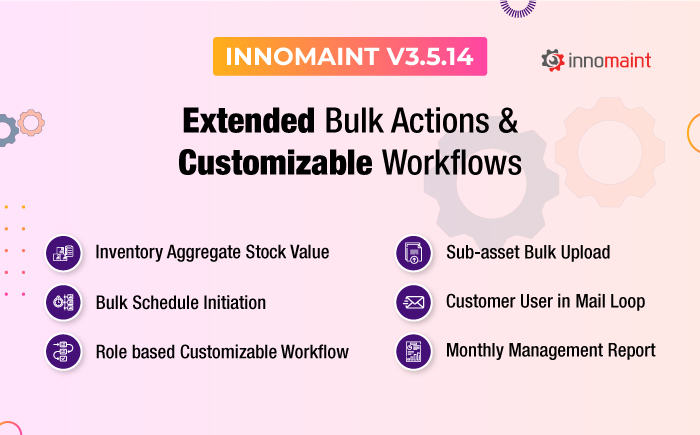
Extended Bulk Actions and Customizable Workflows

1) You can upload the sub-assets into the application, in bulk, along with the main asset mapping details in the bulk upload template. As with the main asset bulk upload, you can check the logs for the success rate of bulk uploads. Asset report shall henceforth include sub-asset details along with the mapping information.


To Automate Your Preventive Maintenance Process

Try Innomaint Equipment Maintenance
Management System for Free


Asset Maintenance

Asset Report

2) Transaction report provides the provision to download reports on completed preventive and corrective work orders.

Transactional Report

Transactional Report (2)

3) Raise the breakdown tickets with utmost clarity using audio, video, and image attachments. Actions and pictures speak louder than words!

Create Ticket

4) The application covered a set of SLA timelines for each stage of the work order. The SLA definition now includes the total resolution time, as well. Kindly recall that SLA definitions are segregated for:

  1. Assets running with a fault
  2. Assets stopped working

SLA for breakdown tickets

5) As a special privilege, managerial users can initiate schedules corresponding to various assets, in bulk. Just download the predefined template populated with all schedules created to date.

 Just fill in the values for columns “schedule date & time” and upload the sheet. All schedules open up at the desired time, saving you a great deal of time and energy!

Asset Maintenance (2)

Asset Maintenance report

6) InnoMaint has widened the gates for customization with Workflow configuration for preventive and breakdown maintenance. Our customers can choose their workflows and alter the choices at any time at their discretion.

Workflow master

7) You get to see the total inventory value corresponding to the aggregate price of current stock. The price gets updated after every in and out-movement across the inventory.

Spare parts stock report 1

Spare parts stock report 2


8) Users can edit the values of monitored key parameters at later stages. The following user roles have edit access:

 * Super Admin

* Operation Manager

* Global Maintenance Head

* Account Executive

* Location head

 It is handy in cases where the technician who worked on the ‘Monitoring Task’ entered the value wrongly. The updated value shall reflect in the Monitoring Reports.

9) Users grouped under Customer Head(FSM application) can be in the loop of maintenance tasks without creation of exclusive user account for them in the application. The users will get PPM and breakdown task reports as a ‘pdf’ file mailed to their email ID provided at the time of registration. The user will also receive a mail notification when a work order is assigned to a technician.

Just select the radio button shown in the screenshot.

Add Customer

10) In the user list grid, view the account creation date of each user beneath “Task in Queue.” The change is reflected in the customer list.

Users

11) Generic tickets are also brought under SLA as with Asset based tickets.

 12) A common filter has been provided. Based on the criteria set in this filter, the entire Dashboard data(including KPI metrics) get filtered accordingly. Date-wise filter option has been provided for all individual widgets in the Dashboard.

Comparison dashboard

13) You can configure acknowledgment & approval rights for preventive & corrective work orders based on user roles from a single and intuitive interface as below:

Configuration Workflow

14) A PPM schedule can now be managed by both service team and customer simultaneously.

Schedule

15) As a further value addition to the existing versatile reports, InnoMaint provides a Monthly Management Report(MMR) for any particular calendar month of a year.

Select Location/Customer(as the case may be) and view the MMR

Location

MMR report includes the following components:

>>  Meter Reading Report

The report corresponds to monitoring point values.

Meter Reading Report

>> Service Category Report

The report corresponds to the service categories to which the work orders opened during the month belong.

 Service Category Report

>> Manpower Report

Based on the Users Mapped to the Service Category will reflect.

>> Approved column reveals the count of added users.

>> Present Column indicates the total users for the month.

>> Shortage Column denotes Inactive or Deleted Users.

Manpower Report

>> Daily Service Report

Entries are calculated based on duration of the periodic schedules created.

Daily Service Report

>> Weekly Service Report

Entries are calculated based on duration of the periodic schedules created.

Weekly Service Report

>> Ticket Compliance Report

Entries are calculated based on tickets created.

Ticket Complaints Report

>> Monthly Service Report

Entries are based on schedules that repeat in monthly and yearly frequencies.

Monthly Service Report

>> Spare Request Report

 Entries are based on spare requests and replacements.

Spare Request Report

>> New Employee Report

Entries are based on users added in Location and Customer(Location -User Mapping Screen and Customer User Mapping Screen)

New Employee Report

Asset maintenance 3

>> Quit Employee Report

The users deleted from the Location User Mapping Screen and Customer User Mapping Screens will be listed in the report.LocationsQuit Employee Report

>> Technician Rating Report

Technicians with an average rating more than 3 will find their place in the report.

Technician Rating Report

>> Service Rating Report

Service Rating Report

>> Proactive Planning Report

The root cause and solution based on fixed Tickets will appear here.

* Issue corresponds to Defect name.

Proactive Planning Report


InnoMaint Version 3.5.5

InnoMaint Version 3.5.5

Innomaint version 3.5.5

InnoMaint Version 3.5.5: Information-oriented new website for rewarding visitor experience

Launch of New Website

We are excited to announce the launch of Innomaint’s new website. The business community will now be able to find relevant information and solutions quickly as they browse through the website with a modern look and feel. It reflects our growth over the last five years from a humble beginning to where we stand now as a market leader with a global presence in 13 countries.

The top 5 benefits for the business community are as under:

  • Ability to remit payment for subscriptions via the website with UPI support.
  • The information on the most popular and latest features that rock the market is visible prominently.
  • Landing pages unique to each service category and industry vertical with use cases, illustrative videos, FAQs.
  • An intuitive and user-friendly interface for a rewarding visitor experience.
  • Quick loading of website home page and landing pages with improved plug-ins.
Payment Gateway Integration

The online payment makes the onboarding processes quick and hassle-free, as it supports the broadest payment options range, close to 100. Enjoy the benefits of digitization right from the stage of subscription! Feel the top-notch performance of the checkout mechanism that adds charm to your onboarding experience.

auto trial option

auto free trial process

Choose the plan that best suits the maintenance management goals of your organization and activate the account yourself. Choose the billing period and number of user accounts you wish to purchase from the pricing page.

Product Tour for Easier Navigation of Application

Upon completion of payment, new customers shall receive the workflow diagram and start-up kit in the welcome email. The system will walk trial and live users through a virtual product tour that will help you configure the application most easily.

product tour

Auto Trial Option

Trial users need not request and wait for Admin to manually approve the request. They can just register and start using the application straight away without waiting for Admin approval. The default sample data and basic workflow for work order completion in trial version instills confidence and a fair idea of the functioning mechanism of InnoMaint application. If trial period is reaching its end, notification alert shall be provided to the user. The live version will have more capabilities.

free trial page

In ticket creation screen(web) we’ve provided a ‘+’ button over customer field to include a customer not in the list, for FSM flow.

button to include a customer not in the list

Fully Accessible Dashboard via Mobile  

In Mobile APP we’ve made the Dashboard page as informative as that of its web counterpart. Now the user can view all widgets conveying valuable information on FTFR, MTBF, Pie & Bar charts etc from anywhere, in addition to the 52 week PPM calender view.

key performance people indicatorsFTFRWork order comparisonbreakdown vs completed